Find procedures, records, reports, policies and supporting documents before an audit or review.

Solutions
Internal audit preparation
Doclarity helps audit, quality and compliance teams search internal documents, retrieve evidence, verify sources and prepare audit notes from trusted document libraries.
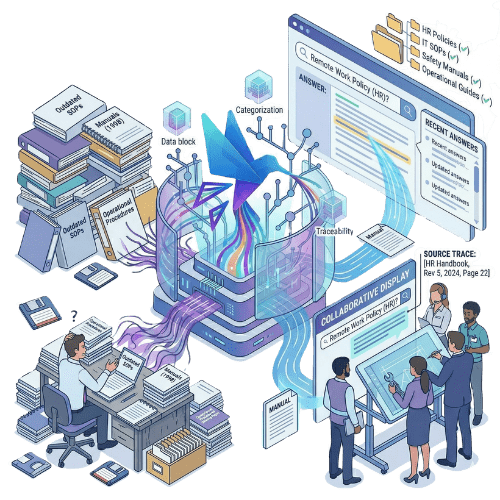
Find procedures, records, reports, policies and supporting documents before an audit or review.
Prepare responses that stay connected to the documents and passages used.

Organize audit preparation by process, site, department, scope or document library.
Why it matters
Internal audits rarely rely on a single file. Teams need procedures, policies, evidence, records, reports, forms, training files, previous reviews, quality documents and sometimes years of archived material. The documents may exist, but they are often spread across shared drives, SharePoint, QMS tools, local folders or long PDF reports. Auditors and process owners spend time asking where evidence is stored, checking which procedure applies, reopening old files and copying passages into notes. This slows preparation and weakens confidence. A finding, answer or observation is only useful if the team can trace it back to the right source.
Doclarity gives audit and quality teams a searchable document workspace. Users can ask questions, retrieve relevant evidence, verify source passages and turn document research into audit notes, summaries or draft responses. Doclarity does not replace a full audit management system. It does not manage the entire audit lifecycle, corrective actions or audit scheduling. It helps with the document-heavy work behind internal audits: finding, checking, citing and using the right information.
Capabilities
Organize procedures, policies, records, evidence, reports and reference documents by audit scope.
Find supporting documents, passages, records or reports connected to an audit question.
Retrieve relevant information even when users do not know the exact document title or keyword.
Ask questions such as "what evidence supports this control?" or "which procedure applies to this process?"
Generate answers that remain connected to the documents used.
Open the original document and review the exact passage before using it in audit preparation.
Bring together related procedures, evidence, reports and policies across several files.
Turn document research into audit notes, summaries, interview preparation, draft responses or working checklists.
Keep audit preparation aligned with user permissions, teams, departments or audit scopes.
| Need | Shared folders | QMS / audit software | Traditional DMS | Doclarity |
|---|---|---|---|---|
| Store audit documents | Yes | Yes | Yes | Yes |
| Organize documents by audit scope | Limited | Yes | Variable | Yes |
| Manage access rights | Limited | Yes | Yes | Yes |
| Search by title or keyword | Limited | Yes | Yes | Yes |
| Search inside document content | Limited | Variable | Yes | Yes |
| Search by meaning | No | Variable | Rarely | Yes |
| Ask questions to evidence and procedures | No | Rarely | Rarely | Yes |
| Generate source-backed answers | No | Variable | Rarely | Yes |
| Prepare notes from documents | No | Variable | No | Yes |
| Manage audit scheduling and CAPA | No | Yes | No | No |
Doclarity is not a complete audit management platform. It does not replace audit scheduling, findings management, CAPA, risk scoring or full audit lifecycle workflows. It strengthens the document research layer behind audit preparation.
Workflow
Select the procedures, policies, records, reports, quality files or reference documents relevant to the audit.
Organize documents by process, site, department, risk area, requirement or access level.
Search by topic or ask natural-language questions across the accessible document library.
Open the source files and review the passages used before relying on an answer.
Create interview notes, evidence summaries, draft responses, working checklists or review notes from verified sources.
Use cases
Collect relevant procedures, policies, records and documents before fieldwork starts.

Search across quality records, reports, meeting notes, forms and supporting files.
Check what the approved procedure actually says before an interview, review or finding.

Use source documents to build focused questions for process owners.
Turn document review into structured notes grounded in the files reviewed.
Reuse previous research, evidence and summaries when preparing future audits.
Teams
Doclarity is less suited if your main need is full audit lifecycle management, audit scheduling, risk scoring, CAPA tracking, non-conformance workflows or formal corrective action management. It can complement those tools by making audit documents easier to search and use.
 procedures; SOPs; internal policies; quality records; audit evidence; ISO documents; control documentation; reports; forms; meeting notes; previous audit reports; documents that must be found, checked, cited or summarized.
 FAQ
Internal audit software helps teams plan, perform, document or manage internal audits. Some tools focus on audit scheduling, findings, CAPA and workflows. Doclarity focuses on the document research layer: finding evidence, verifying sources and preparing audit notes from trusted documents.
Doclarity helps teams search procedures, policies, records, reports and evidence. Users can ask questions, retrieve relevant passages, verify sources and prepare notes or responses from the documents reviewed.
No. Doclarity is not a full audit management system. It does not replace audit scheduling, findings management, CAPA, risk scoring or corrective action workflows.
Yes. Doclarity can help retrieve records, reports, forms, procedures and supporting files from document libraries available to the user.
Yes. Doclarity aims to connect answers back to the documents and passages used, so audit teams can verify the source before relying on an answer.
Yes. Doclarity can support ISO audit preparation by helping teams find procedures, records, policies, evidence and source passages.
Doclarity can help turn document research into draft notes, summaries, interview preparation or working checklists. Final audit outputs should still follow your internal review process.
Teams can work with procedures, SOPs, policies, quality records, audit evidence, reports, forms, meeting notes, ISO documents and other internal reference files.
Solutions
Internal audit work depends on reliable evidence. Doclarity helps your team find the right documents, check the source and prepare audit outputs from trusted files.
 Private Secure Sovereign